
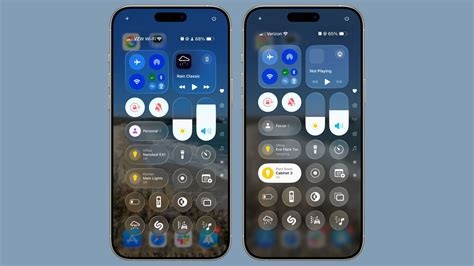
iOS 26.2 arrives with an expanded lock‑screen editor, additional security patches, and a Battery Health Optimiser, but early users report a 5‑10 % faster drain on older iPhone models. The update delivers visual customization while raising concerns about all‑day battery endurance, prompting many to check battery health before upgrading.
What iOS 26.2 Introduces
Lock‑Screen Customisation
The new lock‑screen editor lets users add up to three widgets, choose font styles for date and time, and apply animated wallpapers that react to ambient light. Drag‑and‑drop placement is smoother than in iOS 26.1, providing a more dynamic home‑screen experience.
Security Enhancements
Apple patches over 20 vulnerabilities, including kernel‑level privilege escalations, WebKit script‑injection flaws, and a “Find My” issue that could expose location data. These fixes reinforce the iPhone’s defense against emerging threats.
Quality‑of‑Life Tweaks
- AirDrop defaults to “Contacts Only” when the device is locked.
- App Privacy Report adds a “Data Sent to Third Parties” column.
- Battery Health Optimiser toggles background refresh for low‑priority apps when battery falls below 20 %.
Battery Drain Concerns
Users of iPhone 13 and iPhone 14 Pro models notice a 5‑10 % faster drain within the first 48 hours after upgrading, equating to roughly one hour less standby time compared with iOS 26.1. Apple’s release notes acknowledge “potential battery performance variations on older devices” and advise monitoring battery health in Settings → Battery → Battery Health, with a full charge‑cycle reset if abnormal consumption persists.
Analysts point to the new lock‑screen widgets and animated wallpapers as likely contributors: each widget periodically queries its source app, and animated backgrounds increase GPU activity, keeping the display controller active longer.
iOS 26.3 Beta Highlights
The second developer beta (build 23D5103d) introduces several notable features:
- Cross‑platform migration tool – Allows direct transfer of contacts, photos, messages, and app data from iPhone to Android without third‑party apps.
- Full‑screen screenshot preview – Replaces the thumbnail preview; can be disabled via Settings → General → Screen Capture → “Full‑Screen Preview”.
- Refined Face ID handling – Minor algorithm tweak to reduce false rejections reported after iOS 26.2.
- AirDrop stability fixes – Addresses intermittent drop‑outs on the same Wi‑Fi network.
While Apple has not set a public release date, the presence of a second beta suggests a full launch may arrive in late Q1 2026.
Upcoming iOS 26.2.1 Patch
Expected for release around January 23 2026, iOS 26.2.1 targets the most‑complained‑about issues from the 26.2 rollout:
- Face ID latency after update.
- AirDrop disconnects with large files.
- Battery‑drain spikes on devices older than iPhone 12.
The patch will introduce a stricter background‑app throttling policy when battery drops below 15 % and an optional “Low‑Power Widgets” mode that disables widget refresh while preserving the visual lock‑screen layout.
Implications for Users and Developers
For users, upgrading now means weighing fresh visual customisation against potential battery loss. Newer iPhone 15 series models are less affected, while older devices should consider the security benefits versus the power penalty.
For developers, the updated lock‑screen widget framework now supports real‑time data streams, and the cross‑platform migration tool opens avenues for apps handling multi‑device data. The screenshot preview change may require UI adjustments for apps that intercept screen captures.
Bottom Line
iOS 26.2 delivers richer personalization and essential security fixes, but it also brings noticeable battery regressions on older iPhones. The forthcoming iOS 26.3 beta signals Apple’s push toward greater interoperability, while the imminent 26.2.1 patch aims to mitigate the most pressing performance complaints. Users should back up their devices, review battery health, and consider delaying the upgrade if all‑day endurance is critical.


