
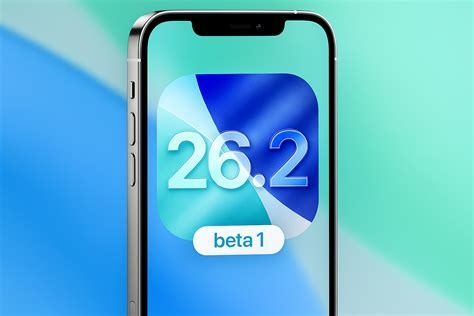
iOS 26.2 brings a new “Liquid Glass” lock‑screen editor, stronger WebKit and location‑service security, smarter AirDrop, and on‑device AI keyboard improvements. The update also introduces a background AI model that can affect battery life, with early reports of a 5‑10 % daily drain on iPhone 15 series devices.
Lock‑Screen “Liquid Glass” Customisation
The headline feature is a revamped lock‑screen editor that supports a “Liquid Glass” style—an ultra‑transparent, frosted‑glass effect that can be layered with widgets, photos, and dynamic wallpapers. Users can assign per‑app shortcuts, configure focus‑mode triggers, and add a quick‑reply bar for supported messaging apps.
AirDrop Enhancements
AirDrop now uses a smarter discovery algorithm that prioritises nearby devices with matching iOS versions, reducing connection time by up to 30 %. The new “AirDrop +” mode lets users share encrypted files without prompting for acceptance, provided both devices have opted in.
AI‑Driven Keyboard & Predictive Text
Building on the AI upgrades from iOS 26.1, the keyboard leverages on‑device language models to suggest context‑aware phrases in multiple languages, including Japanese and English. The model runs entirely offline, addressing privacy concerns associated with earlier server‑side suggestions.
Security Overhaul
Apple patched more than 20 vulnerabilities, including a critical zero‑day in WebKit that could have enabled remote code execution via a malicious website. A privilege‑escalation bug in background location services, which could have allowed apps to track users without consent, was also fixed. These fixes make iOS 26.2 a “must‑install” for enterprises.
Battery Life Impact
Early adopters of iOS 26.2 on iPhone 15, iPhone 15 Pro, and iPhone 15 Pro Max report a 5‑10 % drop in daily battery endurance. Testers attribute the regression to the lock‑screen animation layer and the continuously running background AI model that refines predictive text.
What Apple Recommends
- Ensure at least 5 GB of free storage.
- Verify battery health of at least 80 % capacity before updating.
- Consider the warranty implications for battery‑related defects.
Who Should Wait?
Users who rely on medical‑grade apps such as Dexcom’s continuous glucose monitor (CGM) companion are advised to postpone the update. Background process changes in iOS 26.2 could interfere with real‑time data streaming until Dexcom releases a certified version.
Adoption Rate Overview
Analytics indicate that, as of early January 2026, roughly 42 % of active iPhones have adopted iOS 26.2, trailing behind the 58 % penetration of the previous major release. The slower uptake appears linked to battery concerns and caution among health‑tech users.
Practical Upgrade Guide
- Backup First – Use iCloud or a local encrypted backup via Finder/iTunes.
- Check Storage – Keep at least 5 GB free; the OTA file is about 2.1 GB.
- Verify Battery Health – Settings → Battery → Battery Health; aim for ≥80 %.
- Schedule Downtime – Installation takes 20‑30 minutes and requires Wi‑Fi.
- Post‑Update Monitoring – Review battery usage for the first 48 hours; if drain is excessive, consider reverting to iOS 26.1 while Apple still signs the firmware.
Looking Ahead
iOS 26.2 showcases Apple’s focus on visual polish and tighter security. The lock‑screen redesign and AirDrop refinements are incremental yet meaningful steps toward a more seamless ecosystem. However, the battery regression highlights the trade‑off between new features and power efficiency—a balance that will shape the upcoming iOS 27, which is expected to include adaptive power management powered by on‑device machine learning.
For power users and enterprise IT departments, prioritising the security patches is advisable, while casual consumers may wish to wait a week or two for a minor battery‑optimisation update. As always, maintaining a solid backup remains the safest shield against unforeseen issues.


