
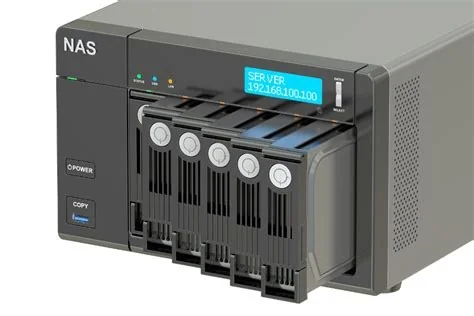
Choosing a NAS involves balancing storage capacity, data redundancy, intelligent AI tools, cloud integration, and cost‑effective scalability. A well‑matched NAS provides ample space for growing media libraries, ensures zero‑downtime with failover options, automates file organization, syncs securely to the cloud, and expands affordably as needs evolve. This guide breaks down each critical factor for home and small‑office users.
1. Capacity – Size Matters
Start by estimating your current data volume and future growth. A good rule of thumb is to provision storage at least two to three times the amount of data you plan to store. For example, a household with 2 TB of photos, videos, and documents should consider a 6 TB or larger NAS array. This extra space accommodates snapshots, RAID overhead, and unexpected file accumulation.
2. Redundancy and Zero‑Downtime
Beyond raw capacity, protecting data availability is essential. Implementing RAID 1 or RAID 5 safeguards against individual drive failures, while a dual‑unit “relay‑NAS” setup provides hardware redundancy. In a relay configuration, a secondary NAS automatically takes over if the primary unit fails, minimizing service interruptions and protecting against power outages or network faults—an affordable alternative to enterprise SAN solutions.
3. Integrated Cloud and AI Capabilities
Modern NAS devices go beyond simple file sharing. Built‑in AI can automatically tag photos, generate video thumbnails, and suggest duplicate‑file deletions, turning the storage box into an intelligent media library. Cloud connectors enable two‑way synchronization with popular services such as Google Drive or OneDrive, ensuring off‑site backups without manual effort. Many models also support Docker containers, virtual machines, VPN services, and IP‑camera recording.
4. Cost‑Efficiency and Scalability
NAS solutions offer a cost‑effective path to scalable storage. Starting with a modest configuration of SATA drives, you can later add drive bays or upgrade to higher‑capacity disks. Hybrid storage tiers—SSD caching for fast access paired with high‑capacity HDD archives—let you balance performance and price. This modular approach outperforms traditional external hard drives and dedicated file servers in both flexibility and total cost of ownership.
5. Popular Choices for Home and Small Offices
Among widely adopted models, the Buffalo LinkStation series stands out for its user‑friendly interface, support for RAID 1/5, remote access, and basic backup utilities. While it may lack the extensive app ecosystems of some competitors, its affordability and reliable brand reputation make it an attractive entry point for families transitioning from USB drives to networked storage.
Implications for the Future
The convergence of storage, compute, and AI within a single NAS chassis signals a shift toward edge‑centric data processing. As remote work continues and high‑resolution media becomes commonplace, demand for locally hosted yet cloud‑connected storage will grow. Devices that combine robust redundancy, intelligent features, and scalable pricing are poised to dominate the next wave of NAS adoption.


