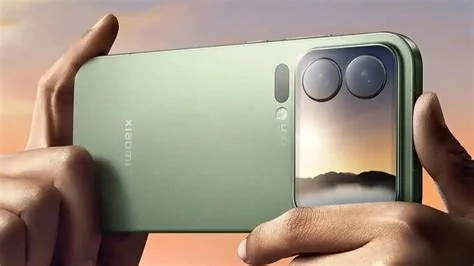
HyperOS 4.0, built on Android 17, will roll out first to the Xiaomi 17 flagship series, then expand to select Redmi Note 14 Pro+ and POCO models. The initial OTA starts as soon as Android 17 stabilizes, with subsequent waves following over the next few weeks. If your device appears on the official list, you’ll see the update prompt in Settings.
What Devices Are Getting HyperOS 4.0?
Xiaomi has confirmed three main groups will receive the new skin:
- Flagship tier: All Xiaomi 17 series phones – the very first to download the OTA.
- Mid‑range premium: Redmi Note 14 Pro+ and other 2023‑2024 releases that meet hardware requirements.
- Performance line: Selected POCO devices, though exact models are still being finalized.
If your phone predates the Note 14 series, it likely won’t be supported, as Xiaomi is drawing a clear line around newer hardware.
When Will the Update Arrive?
The rollout follows a staggered schedule:
- Phase 1: Xiaomi 17 series receives the OTA via the MIUI/HyperOS updater app.
- Phase 2: Redmi devices get the update a few days later, after carrier testing.
- Phase 3: POCO handsets are added in the final wave, depending on compatibility.
Expect the first wave to launch within weeks of Android 17’s stable release, with each subsequent wave spaced by a few days to a week.
Key Improvements in HyperOS 4.0
While Xiaomi hasn’t listed every new feature, the upgrade promises several notable enhancements:
- Improved battery management that adapts to your usage patterns.
- Tighter integration with Xiaomi’s IoT ecosystem, making smart‑home control smoother.
- AI‑driven shortcuts and predictive actions, leveraging Android 17’s generative AI capabilities.
- Refined privacy controls and a revamped notification system inherited from Android 17.
Impact on Developers
If you build apps for Xiaomi devices, you’ll need to target the Android 17 SDK. The new APIs introduce stricter privacy permissions and native support for foldable screens. Xiaomi’s developer portal mirrors Google’s release notes, so you can access the updated documentation without hunting through third‑party sites.
What You Should Do Now
Check the “Updates” section in your Settings app to see if the OTA prompt appears. Make sure your device is charged above 50 % and back up important data before starting the download. If you’re on an older Redmi or POCO phone, consider whether upgrading to a newer model is the best way to enjoy Android 17’s features.