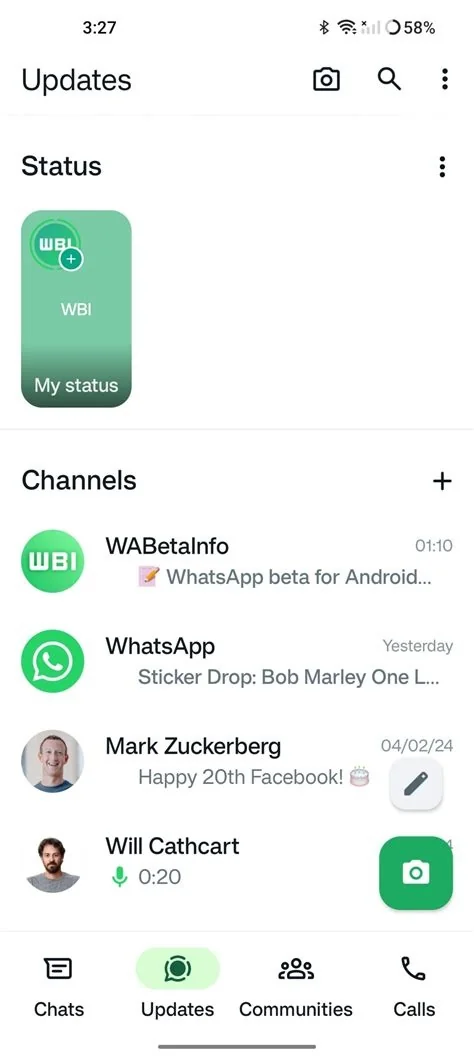
WhatsApp’s latest Android beta places the Status feature directly inside the Chats screen, letting you see friends’ 24‑hour updates without switching tabs. A thin bar at the top of the chat list shows recent status thumbnails, and tapping any preview opens the full view instantly. This integration turns Status into a core part of everyday messaging.
Why WhatsApp Moved Status into the Chats Tab
Improved Visibility and Convenience
Since its 2017 launch, Status lived behind a separate tab, which meant you had to leave the conversation thread to catch up. Embedding it in the Chats view lets you glance at updates while you’re already scrolling through messages, saving you the extra swipe and keeping the conversation flow uninterrupted.
Design Benefits for Power Users
The new UI treats fresh status updates almost like incoming messages: the contact’s profile picture gets a subtle highlight, and the status appears at the very top of the chat list. This visual cue makes spotting new content as instinctive as noticing an unread message.
What the New Layout Looks Like
Horizontal Carousel and Status Bar
A thin status bar crowns the Chats screen, displaying a horizontal carousel of recent updates from the contacts you chat with most. Each thumbnail mirrors the familiar “Stories” style you’ve seen on other platforms, but it stays anchored inside the main chat navigation.
Interaction Flow
Tap a thumbnail to launch a preview, then tap again to open the full‑screen view. Contacts without a recent status appear as a greyed‑out circle, keeping the layout clean and focused on active updates.
Potential Impact for Personal and Business Users
Enhanced Engagement for Personal Chats
For everyday users, the integration means you’ll notice friends’ moments without hunting for a separate tab. The seamless access encourages more frequent status checks, which can deepen the sense of staying connected.
Opportunities for WhatsApp Business
WhatsApp Business accounts already use Status to showcase products or announcements. With the new placement, those updates sit alongside personal chats, potentially driving higher visibility and engagement for promotional content.
Future Implications for WhatsApp Features
Possible Extensions to Calls, Payments, and AI Replies
If Status can live comfortably inside Chats, it opens the door for other peripheral features—like calls, payments, or AI‑generated replies—to share the same real‑estate. This could further streamline how you interact with the app, keeping the most relevant actions just a tap away.
In short, the beta redesign turns Status from a hidden hallway into a front‑row seat on the main stage. Whether it boosts daily engagement, creates new revenue avenues, or simply makes life easier for billions of users will become clear as the feature rolls out beyond the testing pool.