Telegram has just released a fresh Android APK, a polished Windows desktop client, and a portable version that runs straight from a USB stick. The updates boost performance on older phones, refine the desktop experience, and let you use Telegram without installing anything—perfect for travelers, IT admins, and anyone who wants fast, data‑efficient messaging.
New Android APK: Features and Benefits
The 12.4.3 Android APK delivers the familiar Telegram experience—lightning‑fast text, voice and video calls, plus seamless file sharing—while tightening data usage. It’s built to keep messages flowing even on weak connections, making it ideal if you’re on a limited plan or a spotty network.
Data Efficiency on Older Devices
If your phone runs Android 6.0 or higher, the update improves speed and reduces lag, extending Telegram’s reach to markets where newer OS versions are scarce. You’ll notice smoother scrolling and quicker media loading without draining your data.
Desktop Client Refresh: What’s Improved
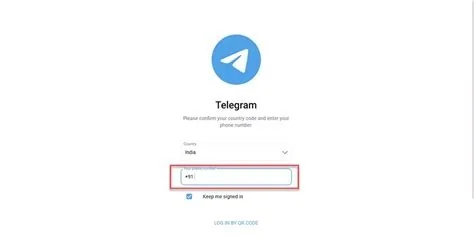
The Windows desktop client now offers a cleaner interface and smoother multitasking with channels and bots. End‑to‑end encryption remains intact, and the keyboard‑centric workflow feels natural on a larger screen. Minor UI quirks from older builds have been ironed out, so you can focus on conversation instead of troubleshooting.
Portable Build: Zero‑Install Messenger
This new portable version runs directly from a USB drive, leaving no trace on the host computer. It mirrors the full desktop client’s feature set—bots, channels, dark mode, granular notifications, and support for any file format—while requiring no admin rights. Whether you’re hopping onto a borrowed laptop or managing a secure environment, you’ll appreciate the hassle‑free setup.
Why These Updates Matter for You
For power users, the ability to switch between an installed desktop app and a portable client adds flexibility few rivals match. You’ll enjoy consistent performance across devices, whether you’re on a budget phone, a Windows PC, or a laptop you can’t install software on. The updates also reinforce Telegram’s promise of speed, reliability, and data efficiency.
Implications for the Messenger Landscape
Telegram’s rapid iteration pushes competitors to balance feature depth with data efficiency. As more users demand a messenger that works everywhere—from high‑speed fiber to a spotty rural hotspot—the bar for “acceptable performance” rises, and Telegram is setting a new standard.
Practitioner Perspective
“The portable client saves us time and keeps our compliance checklist clean,” says Maya Patel, senior systems administrator at a mid‑size SaaS firm. “We can jump onto any laptop for quick troubleshooting without installing anything, and we still get the same encryption and bot support as the regular desktop app.”