
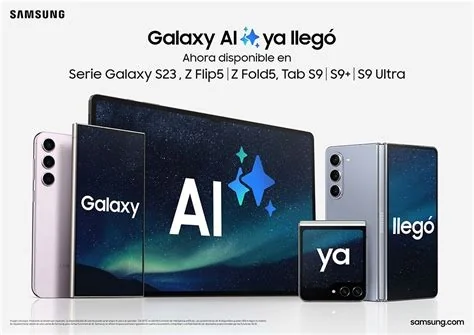
Samsung’s new AI‑powered photo suite, built into the Galaxy S26 camera app, lets you capture, edit and share images without leaving the native interface. The on‑device tools transform day shots to night, restore removed objects, and blend multiple exposures with simple text prompts, delivering fast, privacy‑focused results for everyday creators.
Key Features of the Galaxy S26 AI Photo Suite
- Day‑to‑Night Conversion – instantly turn bright daylight photos into realistic night scenes.
- Object Restoration – automatically bring back elements that were accidentally removed.
- Multi‑Shot Composite – merge several exposures into a single, HDR‑like image with one tap.
- Plain‑Language Editing – just type commands like “make this look like night” and watch the AI work.
How the AI Integration Works
Gemini Model Power
Samsung taps the Gemini generative‑AI model through its Galaxy AI platform, delivering cutting‑edge image processing that runs directly on the phone.
Plain‑Language Prompts
Instead of fiddling with sliders, you simply tell the app what you want. The AI interprets your request and applies the appropriate adjustments in seconds.
Benefits for Users
If you love sharing photos on social media, this suite cuts your workflow in half. You’ll edit, enhance, and post without juggling third‑party apps, which means less battery drain and fewer distractions. Because the processing happens on the device, your data stays private and the latency is barely noticeable.
Potential Concerns and What to Watch
There are still unanswered questions. Samsung hasn’t confirmed whether every S26 model gets the full feature set, or if some edits rely on cloud servers. Keep an eye on privacy details—any cloud‑based processing could affect how your images are stored or transmitted. Also watch for possible subscription fees that might appear in future updates.
What This Means for Android Photography
The integration positions the Galaxy S26 as a self‑contained studio, challenging Android users who have relied on separate editing tools. Developers may soon build custom filters or AI‑driven video effects that plug into Samsung’s native suite, expanding creative possibilities across the ecosystem.
Final Thoughts
Samsung’s AI‑driven photo suite blurs the line between camera and editor, giving you a fast, privacy‑aware way to enhance images on the fly. The real test will be how reliably the AI performs in everyday scenarios and whether Samsung addresses the lingering questions about device support and data handling. If it lives up to the promise, you’ll find a powerful new tool right in your pocket.


