
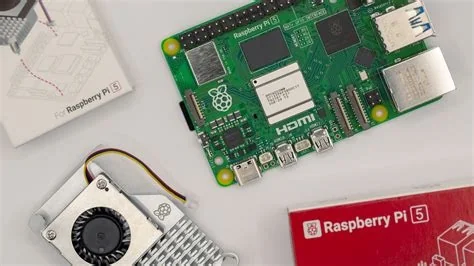
Raspberry Pi just released a hands‑on guide that shows you how to turn a $35 single‑board computer into a fully private AI assistant with OpenClaw. The open‑source agent runs entirely on the device, so every prompt, response, and file stays under your control while you can automate tasks, launch apps, and query APIs without sending data to the cloud.
How OpenClaw Works on a Raspberry Pi
Installation is a single command. Open a terminal and run:
curl -fsSL https://openclaw.ai/install.sh | bash
The script pulls the required Node.js runtime, Python tools, and the OpenClaw core. After it finishes, type openclaw doctor to verify the setup, then launch the openclaw onboard wizard. You’ll be asked to choose three key options:
- LLM provider – select a model (Google Gemini, OpenAI, or a locally hosted LLM) and paste the API key.
- Communication channel – link a messenger such as Telegram or Discord so you can talk to the agent.
- Tool integrations – enable OpenClaw to run scripts, access the file system, or connect to cloud services like Google Drive.
Once configured, the Pi sits idle, ready to answer commands like “Hey OpenClaw, schedule a meeting” or “Deploy my Docker stack.” Because the agent lives on the board, it never needs to reach out to a remote workstation, keeping your workflow secure and offline.
Maker Test Drive: Turning a Photo Booth into an AI Agent
A hobbyist built a wedding photo‑booth that automatically captures, watermarks, and shares images. Adding OpenClaw transformed the booth into a 24/7 AI assistant that handled guest requests, managed a VPN tunnel, and even suggested on‑the‑fly photo‑editing tweaks. The result was smoother operation with zero extra API fees and no data leaving the local network.
Why Privacy Matters for Edge AI
OpenClaw’s biggest draw is its privacy‑first design. By running entirely on a Raspberry Pi, the assistant processes prompts locally, eliminating the need to send personal data to third‑party servers. The board’s low power draw and easy network segmentation let you isolate the AI agent from your main work devices, reducing attack surface and latency.
Implications for Developers and Enterprises
For hobbyists, the guide lowers the barrier to experiment with autonomous agents. A Pi‑powered OpenClaw can run continuously on a modest power budget, making it ideal for home automation, remote sensor networks, or small‑scale customer‑service bots.
Enterprises can treat the Pi as a sandboxed testbed for internal workflows. Because OpenClaw can point at a private LLM or a licensed model, teams can prototype AI‑driven processes without exposing confidential data to external APIs. The open‑source code also lets companies audit, customize, and harden the runtime to meet compliance requirements.
Practitioner’s Perspective
A longtime Raspberry Pi educator noted that the OpenClaw guide “hits the sweet spot between curiosity and capability.” She explained that students love seeing a familiar board become a “thinking” assistant, which demystifies AI agents and shows how to keep the AI brain safely behind a firewall.
What’s Next for OpenClaw?
OpenClaw continues to evolve. Users should keep installations fresh with sudo apt upgrade -y and regular openclaw update checks. Upcoming releases promise tighter sandboxing, richer plugin ecosystems, and smoother multimodal input—including voice, vision, and text.
The bottom line? If you’ve ever wanted a personal assistant that can actually do things without handing over your laptop’s admin rights, the Raspberry Pi + OpenClaw combo now gives you a ready‑made, privacy‑first path. Whether you’re building a home lab, a classroom demo, or a low‑cost prototype, the guide makes it possible to let a $35 board run the AI show.


