
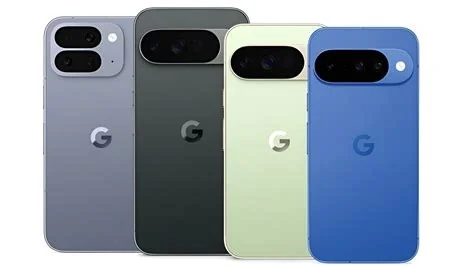
Google has launched a beta of the Gemini AI Agent that goes beyond answering questions—it now runs multi‑step tasks inside Android apps on Pixel 10, Pixel 10 Pro and Samsung Galaxy S26 phones. The new automation lets you tell Gemini to book a ride or order food, while you stay in control of the final confirmation.
What’s New: Gemini Automation
Gemini’s “automation” feature creates a secure, virtual window that can fill out forms, select options and scroll through apps—all while you watch the AI in real time. For example, you can say, “Book me an Uber for 6 p.m. tomorrow,” and Gemini will open a sandboxed screen, enter your pickup location, choose a ride type and pause for you to tap the final Confirm button. The same flow works for reordering meals on DoorDash or building a grocery cart in a partner retailer’s app.
How It Stays Secure
Google isolates the automation inside a sandboxed screen that can’t reach other apps or personal data. Gemini only proceeds after you grant explicit permission, and the final purchase or booking always requires your tap. Android also posts a notification that says “Working on this task,” letting you view progress, stop the task, or take control at any moment.
Why It Matters Now
The Gemini agent extends Google’s multimodal AI model from conversation to concrete actions on your phone. By offloading repetitive clicks to an AI, it aims to cut down “app fatigue” and bring Android closer to conversational automation. The move also gives Android a conversational edge over competing shortcut tools.
Background on Android Automation
Android has long offered “Routines” and third‑party macro tools, but those require pre‑written scripts. Gemini’s agent reacts to natural language prompts and can adapt its steps on the spot, turning a simple voice command into a multi‑app workflow without prior scripting.
Implications for Users and Developers
For everyday users, the promise is simple: say what you need and let the AI do the clicking. For power users, watching the AI in a transparent window offers a safety net. Developers may soon consider making their apps “agent‑friendly” to boost engagement, even though Google hasn’t released a formal SDK yet.
- Consumers save time on routine orders.
- Developers gain a new engagement channel.
- Security remains user‑controlled.
Limitations and Rollout Details
The beta currently launches in the United States and South Korea and supports only a handful of apps in food delivery, grocery shopping and rideshare categories. It isn’t a universal automation tool yet, and the feature ends as soon as the task finishes, leaving no lingering background control. The rollout will expand to Pixel 10 devices soon, aligning with the Galaxy S26 launch.
What’s Next
If early feedback is positive, Gemini agents could expand into booking appointments, managing smart‑home devices, or handling simple customer‑service chats. For now, the focus stays on everyday tasks that are repetitive but necessary. The beta will show whether AI‑driven automation makes you more efficient or adds another layer of complexity.


