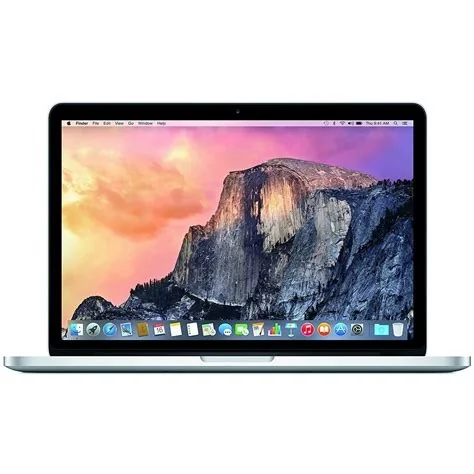
Apple’s upcoming MacBook Pro line introduces two models: an M5‑powered version that refines the current design, and a brand‑new M6‑based Pro that adds a full‑size touchscreen and the iPhone‑style Dynamic Island. The M6 model promises a major performance jump, a slimmer bezel, and a unified macOS‑iOS interaction that could reshape professional workflows.
M5 MacBook Pro: Incremental Upgrade
What the M5 Brings
The M5‑equipped MacBook Pro keeps the familiar chassis while delivering a modest bump in CPU and GPU cores. Expect a slight increase in processing speed without a full redesign, making it a solid bridge for users who want newer silicon now.
- CPU: Slightly higher core count than the previous generation
- GPU: Incremental graphics improvement
- Design: Same slim profile and keyboard layout
If you need a reliable upgrade without waiting for a major overhaul, the M5 model offers exactly that.
M6 MacBook Pro: Touchscreen Redesign
Dynamic Island Integration
The standout UI change is the inclusion of Dynamic Island on a laptop screen. This context‑aware area expands to show alerts, media controls, and shortcuts, mirroring the iPhone experience. You can tap a notification to expand it or swipe from the top to summon Control Center, streamlining multitasking.
Performance Boost with M6 Chip
The M6 chip moves beyond the 8‑core CPU and 10‑core GPU of the M5, leveraging a new 5‑nanometer process and a larger unified memory pool. This translates to smoother video editing, faster machine‑learning tasks, and longer battery life—even with the added power draw of a touch panel.
- CPU: Next‑generation core architecture for higher efficiency
- GPU: Enhanced graphics performance for demanding workloads
- Memory: Expanded unified memory for better multitasking
Design Changes and Touch Panel
The redesign features slimmer bezels, a repositioned webcam, and a new hinge mechanism to accommodate the touch layer. The traditional Touch Bar is expected to be retired in favor of a full‑screen touch interface that feels more like an iPhone than a notebook.
You’ll notice the screen’s responsiveness whether you’re using a finger or a stylus, thanks to refined palm‑rejection algorithms.
Potential Impact for Professionals
Creative professionals could benefit from on‑screen shortcuts that appear in Dynamic Island, reducing the need to toggle between windows. Developers may find it easier to create cross‑platform apps that feel native on both macOS and iOS.
Potential challenges include adapting existing macOS apps to handle both mouse and touch inputs, and ensuring accidental taps don’t disrupt workflow. However, the strategic payoff— a seamless ecosystem that blurs the line between Mac and iPhone—could be substantial.
Pricing and Availability Outlook
While exact pricing remains unannounced, the 14‑inch model is expected to start near the current professional range, with the 16‑inch version positioned at a premium due to the touch panel. Availability is slated for the second half of the year, giving retailers time to stock the new designs.
What This Means for You
If you rely on touch gestures for daily tasks, the new MacBook Pro could cut down on mouse clicks and streamline your workflow. You’ll also experience longer battery life during intensive sessions, thanks to the efficiency gains of the M6 chip.