
Zoom has rolled out three game‑changing updates that let you join meetings without an account, tighten app security, and add an AI‑powered Virtual Agent for instant support. The three‑minute no‑sign‑up shortcut cuts friction, a hardened installation checklist safeguards your camera and microphone, and Virtual Agent 3.0 handles routine queries while escalating complex issues to live agents. These moves boost speed, safety, and smart automation for every user.
Skip the Sign‑Up, Join in Three Minutes
Forget the endless “install, register, verify” loop. With Zoom’s new shortcut, you simply click a meeting link, type a display name, and you’re in the call. No client download, no account creation—just a quick web entry that takes about three minutes. This ultra‑low‑friction path keeps momentum alive when a spontaneous video chat could seal a deal or spark a brainstorm.
- Instant entry: Click, type a name, join.
- Works for most meetings: Hosts can still lock rooms or require passwords to maintain control.
- Boosts participation: Reduces drop‑off caused by registration hurdles.
Secure the Experience: Official App Installation & Privacy Settings
To protect your data while enjoying Zoom’s full feature set, install the official Zoom Workplace app directly from Zoom’s website and configure permissions wisely. Start by downloading the latest installer, then enable only the essentials—camera, microphone, and screen‑share when you need it. Review the privacy policy before granting access, and disable any optional permissions that aren’t required for your workflow.
- Download from the source: Avoid third‑party installers.
- Enable minimal permissions: Camera, mic, and screen‑share only when necessary.
- Audit settings regularly: Re‑check permissions after updates.
Enter the AI Era: Virtual Agent 3.0
Zoom’s Virtual Agent 3.0 brings AI assistance into every meeting and support channel. The assistant can field common questions—like password resets, meeting setup tips, or audio troubleshooting—and hand off more nuanced problems to a live representative. By handling routine issues instantly, the agent speeds up resolution times while preserving the human touch for complex cases.
- Instant answers: 24/7 AI‑driven support for routine queries.
- Seamless escalation: Complex tickets automatically routed to human agents.
- Trust‑focused design: Transparent interactions build confidence with each use.
Zoom Rooms: A Virtual Meeting Hub
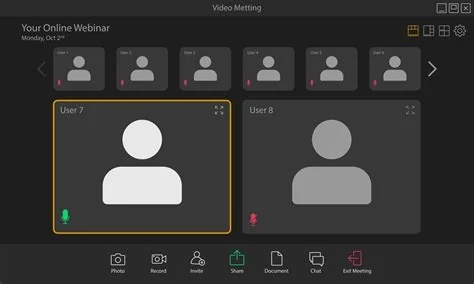
Zoom Rooms act as a centralized virtual space where you can share screens, manage content, and control participant permissions from a single pane of glass. The solution works across hardware platforms, letting IT admins orchestrate hybrid‑office setups without juggling multiple tools. By consolidating meeting management, Zoom Rooms help you keep sessions smooth and secure.
What It Means for Practitioners
For IT managers and everyday users, the three updates translate into real‑world wins. The no‑sign‑up flow shaves roughly 30 seconds off each participant’s join time, adding up to noticeable productivity gains over dozens of daily calls. A hardened app checklist drives a “least‑privilege” configuration that aligns with privacy regulations, while Virtual Agent 3.0 can trim support tickets by double‑digit percentages, freeing staff to tackle higher‑value tasks.
Looking Ahead
Zoom’s strategy hinges on three pillars: frictionless entry, fortified security, and AI‑enhanced assistance. As you adopt the three‑minute join method, tighten app permissions, and explore Virtual Agent 3.0, you’ll likely see faster meetings, fewer security worries, and lighter support loads. The next step may be deeper integration of AI across Zoom’s ecosystem, turning every virtual room into a smarter, more autonomous productivity hub.


