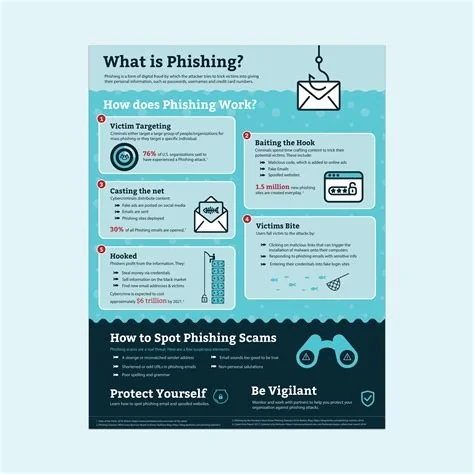
Phishing is a deceptive tactic where attackers masquerade as trusted entities to steal your credentials, money, or data. It typically arrives via email, text, or call, and tricks you into clicking malicious links or sharing sensitive information. By recognizing common warning signs and applying simple safeguards, you can stop phishing attempts before they compromise your security.
What Is Phishing and Why It’s Growing
At its core, phishing relies on social engineering—pretending to be someone you trust to lure you into a risky action. The rise of digital payments, remote work, and online services has given scammers a richer hunting ground, so they’re crafting ever more convincing messages to steal personal and corporate information.
The Social‑Engineering Core
Attackers often impersonate banks, e‑commerce platforms, or coworkers, using familiar logos and language to lower your guard. Once you click a malicious link or open a compromised attachment, malware can install, credentials can be harvested, and fraudulent transactions can start.
Clone Phishing – The Copy‑Cat Attack
Clone phishing takes a legitimate email you previously received, copies its content, and swaps in a malicious link or attachment. Because the surrounding text and formatting look familiar, the deception can slip past even vigilant users. Imagine a follow‑up on a recent purchase where the “track your order” button leads to a credential‑harvesting site.
7 Red Flags You Can’t Ignore
- Unexpected urgency – Messages that threaten account closure or loss within hours are trying to pressure you.
- Mismatched URLs – Hover over links; if the address doesn’t match the claimed sender, it’s likely bogus.
- Poor grammar or spelling – Legitimate corporations usually proofread their communications.
- Requests for sensitive data – Banks rarely ask for passwords or PINs via email.
- Unusual sender address – Look beyond the display name; a subtle typo in the domain can be a giveaway.
- Generic greetings – “Dear customer” or “Valued user” often signals a mass‑mailed scam.
- Attachments you weren’t expecting – Unexpected PDFs or ZIP files can hide malware.
Simple Steps to Protect Yourself
- Verify before you click – If an email seems off, contact the organization through an official channel.
- Enable multi‑factor authentication (MFA) – Even if credentials are stolen, MFA adds a second barrier.
- Keep software updated – Patches close vulnerabilities that phishing‑delivered malware exploits.
- Use email filters – Modern gateways can quarantine suspicious messages before they reach your inbox.
- Practice regular drills – Simulated phishing tests keep you sharp and reduce real‑world click‑through rates.
Impact on Businesses and Individuals
A successful phishing breach can cascade into data loss, regulatory fines, and brand damage for enterprises. A single compromised credential may let attackers move laterally across a network, leading to ransomware or intellectual‑property theft. For individuals, the fallout ranges from drained bank accounts to long‑lasting identity theft.
Expert Recommendations for Stronger Defense
Security analysts advise a two‑pronged approach: deploy technology that rewrites or sandboxes URLs, and run quarterly “phish‑test” drills that mimic real‑world attacks, including clone phishing. When you experience realistic simulations, you’re more likely to pause, verify, and report suspicious messages in the wild.
What’s Next for Phishing Threats
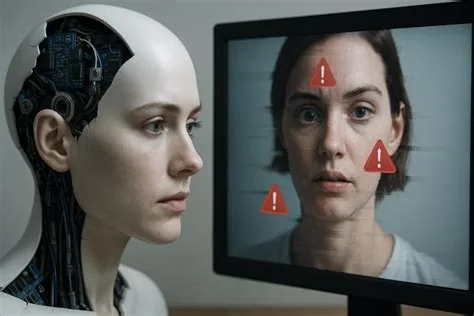
As deep‑fake audio and AI‑generated text become more accessible, attackers will craft even more convincing impersonations. The battle line remains clear: stay skeptical, leverage layered defenses, and keep the conversation about phishing alive in every inbox and chat channel. The next time you see a “Your account will be suspended” email, ask yourself if it really makes sense—your answer could protect you from a costly breach.