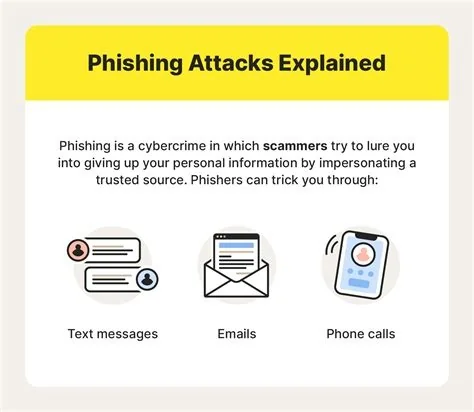
Phishing is a deceptive email technique that tricks you into revealing passwords, credit‑card numbers, or corporate data by pretending to be a trusted source. It relies on urgency, familiar branding, and personalized details to lure you into clicking malicious links or downloading harmful files. Recognizing the common signs and applying simple safeguards can stop these attacks before they compromise your security.
Understanding Phishing Basics
At its core, phishing is a social‑engineering attack that masquerades as a legitimate message from a bank, colleague, or service you trust. The attacker’s goal is simple: get you to click a link, open an attachment, or hand over credentials. By mimicking familiar formats, they exploit the natural trust you place in everyday communications, and it’s often harder to spot than a generic spam.
How Phishing Tactics Have Evolved
Early phishing emails were riddled with spelling mistakes and generic greetings. Today, attackers use polished branding, personalized salutations, and even forged security certificates. They harvest information from social media so the message can reference a recent project you posted about, making the lure feel tailor‑made for you. New vectors like smishing (SMS phishing) and vishing (voice phishing) extend the threat to texts and phone calls, but the underlying principle—creating urgency that bypasses careful thinking—remains the same.
Real‑World Impact of Phishing
A single successful phishing attempt can open the door to ransomware, data theft, or financial loss. For individuals, the fallout may include drained accounts or stolen identity. For businesses, the consequences stretch to regulatory fines, damaged reputation, and costly incident response. Because phishing messages often look authentic, even seasoned IT teams can struggle to filter them out.
7 Signs of a Phishing Email
- Urgent language – Phrases like “Your account will be suspended” or “Immediate action required.”
- Sender anomalies – The display name looks right, but hovering reveals a mismatched domain.
- Link mismatches – The visible text and actual URL differ when you hover over the link.
- Generic greetings – “Dear Customer” instead of your name.
- Unexpected attachments – Files you weren’t expecting, especially executable formats.
- Spelling or grammar errors – Subtle mistakes can indicate a rushed fraud attempt.
- Requests for personal info – Any email asking for passwords, SSNs, or payment details.
Immediate Actions You Can Take
If you’ve ever received an unexpected email asking for personal info, you know how convincing it can look. When you suspect a phishing email, don’t click any links or open attachments. Verify the request through a separate channel—call the company using a known number or log in directly to your account. Report the message to your IT or security team, and delete it from your inbox. Keeping your software updated and enabling multi‑factor authentication adds extra layers of protection.
Expert Insight
“In my ten years of incident response, I’ve seen phishing evolve from generic spam to highly targeted spear‑phishing that mimics internal communications down to the exact font and logo,” says Alex Rivera, senior security analyst. “Combining technical controls—like DMARC, SPF, and advanced threat protection—with realistic phishing simulations gives employees the practice they need to pause, verify, and report suspicious messages.”
Future Outlook
As AI‑generated text becomes more convincing, phishing lures will grow even more personalized. At the same time, machine‑learning tools are improving at spotting subtle anomalies in email metadata and language patterns. The arms race will continue, but organizations that invest in continuous training and adaptive security solutions will stay ahead.
Bottom Line
Phishing exploits the one thing firewalls can’t block: human trust. By learning the tactics, watching for the seven warning signs, and applying both technical safeguards and regular awareness training, you can dramatically lower the risk of a successful attack. Remember, the best defense is a well‑informed user who questions before they click.