
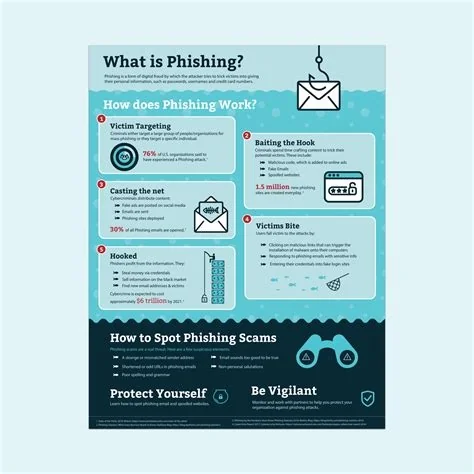
Phishing is a social‑engineering trick where attackers pose as trusted entities to steal credentials, install malware, or hijack accounts. You can block it by verifying senders, hovering over links, enabling multi‑factor authentication, and training yourself and your team to spot urgency or fear‑based messages. These steps cut the attack surface and keep your data out of criminals’ hands.
What Is Phishing?
In simple terms, phishing disguises malicious intent as a legitimate request—often an email, text, or call that asks you to click a link, open an attachment, or share sensitive information. The fraudster watches every keystroke or uses the stolen data to infiltrate networks, spread ransomware, or hold information for ransom.
Common Phishing Variants
- Spear‑phishing – Targeted messages that reference personal details to appear authentic.
- Clone phishing – A genuine email is duplicated and sent with a malicious link or attachment.
- Whaling – Executives or high‑value individuals receive tailored lures that mimic board or legal communications.
- Smishing and vishing – The same tactics delivered via SMS or voice calls instead of email.
Psychological Triggers Used by Attackers
Phishers rely on three core emotions to push you into action:
- Urgency – “Your account will be suspended in 24 hours.”
- Fear – “We’ve detected suspicious activity on your profile.”
- Curiosity – “You’ve won a prize—claim it now.”
When you feel pressured, you’re more likely to click without double‑checking.
Layered Defense Strategies
Verify Sender Details
Check the email address for extra characters, misspellings, or an unfamiliar domain suffix before you trust the message.
Hover Before You Click
Move your cursor over any link to reveal the true URL. If the address looks odd or redirects to a different site, skip it.
Enable Multi‑Factor Authentication (MFA)
Even if credentials are compromised, MFA adds a second verification step that stops attackers dead in their tracks.
Use Email Filtering and DMARC
Deploy technical controls that flag suspicious senders, block known malicious domains, and verify that inbound messages are truly from the claimed source.
Building a Security‑Aware Culture
Regular awareness training turns your team into the first line of defense. Simulated phishing exercises let you practice spotting red flags without real risk, and they dramatically reduce actual click‑through rates.
Why Phishing Matters for Everyone
A single compromised credential can open a backdoor into corporate systems, leading to data theft, financial loss, and reputational damage. Small businesses without dedicated security staff are especially vulnerable—one successful attack can jeopardize their entire operation. Staying skeptical of unsolicited requests and reinforcing MFA and training are the most effective ways to protect yourself and your organization.

