
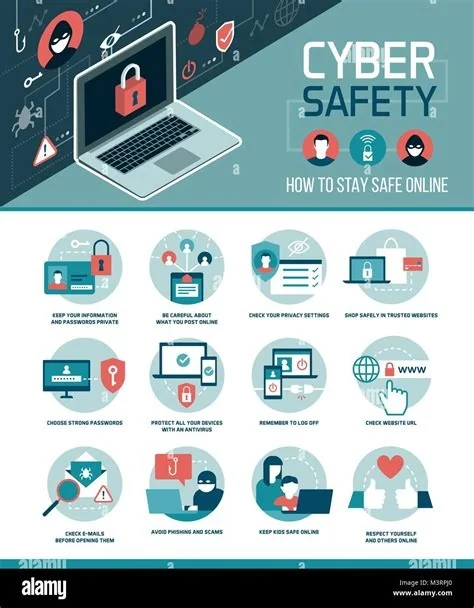
Protecting your digital life starts with a solid set of habits you can adopt right now. By enabling multi‑factor authentication, using a password manager, keeping software up to date, and securing your network, you dramatically reduce the chances of a breach. These 15 practical hacks give you a clear roadmap to keep your personal information safe, whether you’re working from home, banking online, or streaming on public Wi‑Fi.
Why Simple Controls Make a Big Difference
Most data leaks stem from easy‑to‑avoid mistakes: weak passwords, unpatched devices, and unchecked permissions. When you tighten these basics, you cut the attack surface that cybercriminals rely on. The result is a stronger, more resilient online presence without needing expensive tools or advanced technical knowledge.
15 Essential Cybersecurity Hacks
- Enable Multi‑Factor Authentication (MFA) Everywhere – Adding a second verification step blocks credential‑stuffing attacks and protects your accounts even if a password is compromised.
- Adopt a Password Manager – Let a trusted manager generate, store, and auto‑fill complex passwords so you never reuse “Password123!” again.
- Patch Software Promptly – Install operating system updates, browser patches, and firmware upgrades as soon as they’re released; attackers love outdated software.
- Secure Your Home Network – Change default router passwords, disable WPS, and switch to WPA3 encryption if your hardware supports it.
- Use a Trusted VPN on Public Wi‑Fi – A VPN encrypts traffic on coffee‑shop routers, keeping snoopers from intercepting your data.
- Turn On Device Encryption – Full‑disk encryption on laptops and smartphones ensures stolen hardware can’t be read.
- Back Up Regularly – Follow the 3‑2‑1 rule: three copies, two different media, one off‑site. A solid backup can save you from ransomware payouts.
- Beware of Phishing Links – Hover over URLs, verify sender addresses, and use built‑in email filters to spot fake messages.
- Limit Data Sharing on Social Media – Keep personal details private; oversharing gives hackers material for social engineering.
- Review App Permissions – Revoke unnecessary access to your camera, microphone, and location to prevent data leakage.
- Secure IoT Devices – Change default credentials, keep firmware updated, and place them on a separate network segment.
- Implement Least‑Privilege Access – Grant accounts only the permissions they truly need, reducing the impact of a compromised credential.
- Monitor Account Activity – Set up alerts for logins from new devices or unusual locations so you can react quickly.
- Educate Household Members – Teach family or roommates basic security habits; a security‑aware home is a stronger defense.
- Stay Informed – Follow reputable security news sources and update your knowledge regularly to keep ahead of emerging threats.
Putting the Hacks into Action
Start small: pick three items from the list you can implement today, such as enabling MFA, installing a password manager, and updating your router’s firmware. Once those are in place, add two more each week. The habit loop of “learn‑apply‑review” will turn these steps into routine, and you’ll notice the peace of mind that comes with stronger protection.
Final Takeaway
The barrier to better security is lower than ever, but the responsibility sits with you. By adopting these straightforward measures, you’ll lock down your online identity before the next wave of attacks hits. Ready to safeguard your data? Start with the first hack and watch your digital security improve instantly.

