
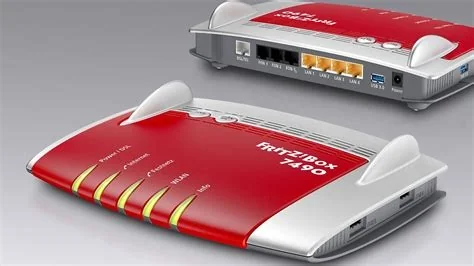
AVM’s Fritz!Box routers expose a built‑in MyFRITZ! remote‑access service that lets users manage the device from outside their home network. The German Federal Office for Information Security (BSI) advises turning off this feature unless it’s absolutely required, as it significantly widens the router’s attack surface and invites automated scans and brute‑force attempts.
Why the Remote‑Access Feature Is a Risk
The remote‑access function allows the router’s administration panel to be reached from the internet. While convenient for troubleshooting while away, each exposed management endpoint can be probed by automated scanners. Once discovered, attackers may launch brute‑force login attempts or exploit known firmware vulnerabilities, increasing the likelihood of a successful compromise.
BSI’s Router‑Security Recommendations
BSI’s broader “Router‑Security” guide outlines hardening measures for consumer‑grade routers. It recommends regular firmware updates, disabling ancillary services such as UPnP and WPS, and turning off high‑risk settings like remote access by default. These steps collectively reduce the attack surface of home networking equipment.
Key Hardening Measures
- Keep firmware up to date – Install the latest security patches as soon as they are released.
- Disable unnecessary services – Turn off UPnP, WPS, and other remote‑management protocols unless required.
- Use strong, unique passwords – Avoid default credentials and employ complex passphrases.
- Enable two‑factor authentication – Where available, add an extra verification layer for admin access.
Step‑by‑Step Guide to Disable Remote Access
- 1. Log into the router’s local web interface (typically http://fritz.box or the device’s local IP address).
- 2. Navigate to Internet → MyFRITZ! Account or the equivalent “Remote Access” menu.
- 3. Turn off the remote‑access toggle and confirm the change.
- 4. Verify that the external port (default 443 or 8080) is no longer reachable by using an online port‑scanner or a smartphone on a cellular network.
When Remote Management Is Needed
If remote management is essential—for example, for a small office that relies on the router’s VPN capabilities—BSI advises using strong, unique passwords, enabling two‑factor authentication where possible, and restricting access to specific IP addresses. Pairing remote access with a dedicated VPN tunnel further mitigates exposure.
Impact on Home Network Security
By closing unnecessary remote interfaces, users reduce the pool of vulnerable devices that can be conscripted into botnets, DDoS campaigns, or credential‑stealing operations. A security‑first default configuration aligns with growing consumer awareness of privacy and cyber‑risk, encouraging manufacturers to prioritize safety over convenience.
Expert Insight
Lena Schmidt, network security consultant, notes: “Disabling remote‑access unless it’s truly needed is sound advice. Many clients enable MyFRITZ! simply because the setup wizard suggests it, without understanding the exposure it creates. Turning the feature off eliminates a common entry point that attackers exploit in automated scans. If remote management is required, we always pair it with a dedicated VPN tunnel and enforce strict password policies.”
Bottom Line
The BSI warning highlights a core principle of consumer cybersecurity: convenience features must be weighed against the attack surface they introduce. Fritz!Box owners should immediately navigate to the router’s settings and switch off the MyFRITZ! remote‑access function unless it is essential for a specific workflow. This simple step protects home networks from opportunistic scans and helps prevent routers from being hijacked for larger malicious operations.

