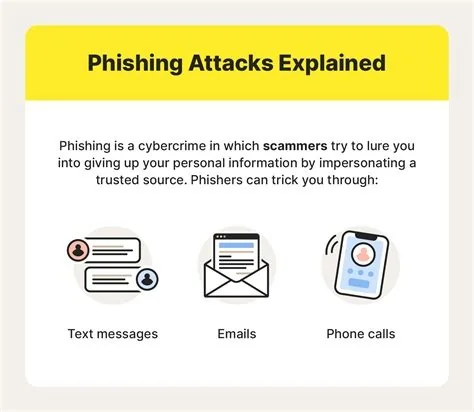
Phishing is a deceptive cyber‑attack where fraudsters pose as trusted entities to steal personal data, credentials, or install malware. It typically arrives as an email, text, or call that looks legitimate but contains hidden traps. Understanding the common tricks and applying layered defenses lets you spot the bait early and protect yourself and your organization.
Spotting Phishing Bait
Knowing the red flags makes it easier to avoid falling for a scam. Look for these tell‑tale signs:
- Urgent language – messages that demand immediate action, such as “Your account will be suspended” or “Act now to avoid fees.”
- Mismatched sender details – the display name may appear correct, but the actual email address contains a typo or uses a free‑mail domain.
- Suspicious links – hovering reveals a URL that doesn’t match the claimed source, often leading to a spoofed login page.
- Unexpected attachments – files you weren’t expecting, especially executable formats, can hide malware.
- Too‑good‑to‑be‑true offers – promises of huge rewards or prizes that require you to provide personal information.
Smishing and Vishing: Phishing Beyond Email
Phishing isn’t limited to inboxes. Attackers also use SMS (smishing) and voice calls (vishing) to lure victims.
- Smishing – short, urgent texts that claim your bank account is locked or that you’ve won a prize, prompting you to click a malicious link.
- Vishing – phone calls where the scammer pretends to be a bank representative or IT support, asking you to verify codes or share passwords.
Regardless of the medium, the goal stays the same: extract sensitive data or install malware on your device.
Impact of a Successful Phishing Attack
A single compromised credential can give attackers a foothold inside corporate networks, enabling ransomware, data exfiltration, or lateral movement. For individuals, the fallout may include drained bank accounts, identity theft, and a lengthy recovery process. Remote work has expanded the attack surface, making personal devices and unsecured networks prime targets for deceptive lures.
Effective Countermeasures
Combining technology with good habits dramatically reduces risk.
- Enable multi‑factor authentication (MFA) on all accounts to add an extra verification step.
- Keep software patched and update browsers, email clients, and operating systems regularly.
- Use email authentication protocols such as DMARC, SPF, and DKIM to block spoofed domains.
- Deploy anti‑phishing tools like browser extensions that warn you about malicious links.
- Run regular simulated phishing drills to train users and reinforce safe practices.
- Verify unsolicited requests through a separate channel—call the institution using a known number, not the one in the message.
Quick Action Checklist
- Hover over every link before clicking; ensure the URL matches the expected domain.
- Never share passwords or verification codes in response to an email or call.
- Report suspicious messages to your IT or security team immediately.
- Use a “click‑to‑verify” feature if your email client offers one.
- Regularly review account activity for unauthorized actions.
Phishing will keep evolving, but by staying alert, questioning urgency, and leveraging both technology and smart habits, you can keep the bait from sinking your ship.