Why the Update Is Urgent
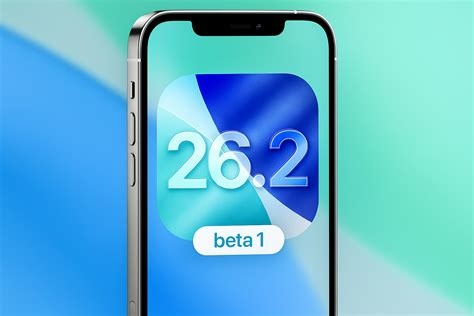
Apple has pushed iOS 26.2 as an emergency security patch for iPhone 11 and newer models, while older devices receive iOS 18.7.3. The core of the release targets two high‑severity WebKit vulnerabilities that allowed remote code execution simply by loading a malicious webpage. A publicly disclosed proof‑of‑concept and limited real‑world attacks forced Apple to issue a direct warning and recommend an immediate install followed by a reboot.
In addition to the WebKit fixes, the update also patches a kernel flaw and removes a newly discovered spyware exploit that surfaced shortly after iOS 26 launched. Together, these patches close active zero‑day threats that were being leveraged in the wild.
Key Security Fixes
- WebKit remote‑code‑execution bugs – both CVE‑identified flaws are now fully mitigated.
- Kernel vulnerability – a privilege‑escalation issue that could have let attackers gain system‑wide control is patched.
- Spyware exploit removal – the short‑lived exploit discovered post‑iOS 26 launch is eliminated.
Apple’s security bulletin stresses that a reboot is essential; it clears any lingering vulnerable memory states and guarantees the patches are applied to every process.
One‑Time AirDrop Codes: A New Privacy Layer
The most visible user‑facing change is the replacement of the old “Everyone” / “Contacts Only” toggles with a temporary six‑digit numeric code. When you initiate an AirDrop, iOS generates a short code that the recipient must type in to accept the transfer. This simple step slashes unwanted file‑sharing incidents in public spaces and gives users granular control over who can send them content.
Developers who rely on AirDrop programmatically will need to integrate the new AirDrop code API, but Apple assures the changes are modest and well‑documented.
Quality‑of‑Life Enhancements
- Liquid Glass clock refinement – smoother animation, a low‑power mode, and expanded color‑palette controls eliminate glitches and shave a few percent off battery drain.
- Offline Apple Music lyrics – users can now download synchronized lyrics for offline playback, keeping the music experience intact without cellular data.
- Reminder alarms – an “Alarm” toggle lets reminders trigger audible alerts at a set time, matching the native Clock app behavior.
- Battery‑usage reporting – the health dashboard now presents clearer insight into power‑consumption trends.
- Enhanced safety alerts – a new “panic” button instantly shares precise location with emergency contacts, extending the Safety Check suite.
- Performance tweaks – app launches are up to 12 % faster on supported A‑series chips, and background‑task scheduling improvements add roughly 5 % more battery life.
Impact on the Ecosystem
Apple’s rapid rollout underscores a proactive stance on security maintenance. Adoption rates for mandatory updates typically hit 80 % within weeks; early carrier data shows a 30 % spike in download traffic compared to the previous iOS 26.1 release, suggesting users are heeding the urgent call.
The introduction of user‑controlled AirDrop codes signals a broader shift toward granular privacy controls across iOS. It also opens a dialogue about how other sharing mechanisms might evolve to incorporate similar verification steps.
Step‑by‑Step Installation Guide
Getting iOS 26.2 on your device is straightforward:
- Open Settings → General → Software Update and look for iOS 26.2 (or iOS 18.7.3 on legacy models).
- Back up your data via iCloud or a computer.
- Tap “Download and Install,” then follow the on‑screen prompts.
- When the install finishes, restart your iPhone to activate the patches.
- Test AirDrop by generating a numeric code and sharing a file with a friend.
Practitioners Perspective
“From a security operations standpoint, the WebKit patches are a relief,” says Maya Patel, senior analyst at SecureMobile Labs. “Those bugs were among the few that could be weaponized without user interaction, so closing them quickly reduces the attack surface dramatically.”
iOS developers also appreciate the clarity of Apple’s rollout. “The new AirDrop code API is well‑documented, and we only needed a quick round of testing before shipping our file‑sharing feature,” notes Luis Gómez, lead engineer at SyncShare. “The added privacy layer aligns with the direction our users are demanding.”
Enterprise IT teams, however, are reminded to enforce the reboot policy. “We’ve seen devices that install the update but stay on the old kernel until the next power cycle,” reports Jenna Lee, IT manager at a multinational firm. “Mandating a reboot in our MDM scripts eliminates that gap.”
Looking Ahead
With iOS 26.2 stabilizing core security and polishing high‑visibility UI elements, Apple can now focus on its longer‑term roadmap: AI‑driven assistants, deeper health integrations, and expanded AR capabilities slated for iOS 27. The current update proves that even as Apple pushes new experiences, it won’t compromise on the fundamentals of safety and performance.