Apple’s iOS 26.2 is the first major patch for iOS 26, delivering essential security patches for WebKit and kernel vulnerabilities, a new numeric‑code AirDrop verification system, and several quality‑of‑life tweaks. Users are urged to install the update immediately and reboot their iPhone to ensure full protection and a smoother sharing experience.
Key Security Fixes in iOS 26.2
iOS 26.2 addresses active exploits targeting the WebKit rendering engine and the kernel, eliminating zero‑day threats that were being leveraged in the wild. The patch also removes a spyware exploit discovered shortly after iOS 26’s launch, reinforcing overall device security.
New AirDrop Verification System
The update replaces the traditional “tap‑to‑share” method with a short, user‑generated numeric code. Recipients must enter this code on their device, dramatically reducing unwanted file transfers in public spaces.
Quality‑of‑Life Improvements
- Reminder reliability – Fixed a bug that prevented scheduled reminders from firing under certain conditions.
- Battery‑usage reporting – Updated the battery health dashboard for clearer insight into power consumption trends.
- UI refinements – Smoother animation transitions and refreshed iconography align with Apple’s “Liquid Glass” design language.
Why a Reboot Is Essential
Apple’s security bulletin recommends restarting the device after installation. Rebooting clears residual memory that could still be vulnerable, ensuring that all patches are fully applied.
Impact on the iOS Ecosystem
The rapid release of iOS 26.2 highlights Apple’s proactive approach to security maintenance. Introducing user‑controlled AirDrop codes signals a broader shift toward granular privacy controls across the platform.
Step‑by‑Step Guide: Install iOS 26.2
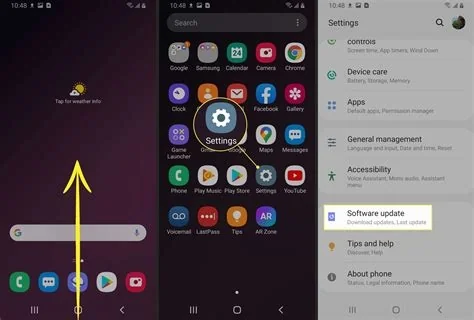
- 1. Check for the update – Open Settings → General → Software Update and look for iOS 26.2 (or iOS 18.7.3 for older devices).
- 2. Back up your data – Use iCloud or a local computer to safeguard your information.
- 3. Install and reboot – Follow the on‑screen prompts, then restart your iPhone to activate the patches.
- 4. Test AirDrop – Generate a short numeric code when sharing files and provide it to the intended recipient.
Conclusion
Installing iOS 26.2 promptly protects iPhone users from critical WebKit and kernel exploits while delivering a more private AirDrop experience and several usability enhancements. The update underscores Apple’s commitment to balancing innovative features with robust security.