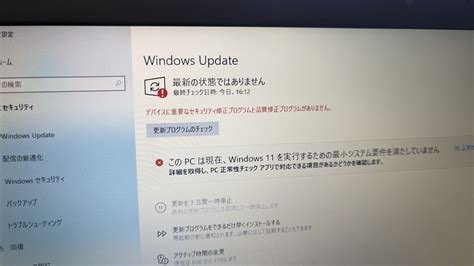
On January 13 2026 (US) / January 14 2026 (Japan), Microsoft released its monthly Patch Tuesday update covering all supported Windows versions, Windows 10, Windows 11, Office 365, Edge, and ESU‑eligible products. The bundle addresses 112 CVE‑identified vulnerabilities, including critical flaws in CLFS, MSMQ, Office apps, and the Edge browser, making immediate installation essential for both consumers and enterprises.
What Was Fixed in the January 2026 Patch
- CLFS authentication hardening – Added encryption and signature verification to reduce log‑file tampering risk.
- MSMQ remote code execution fix – Fully mitigates the December‑2025 vulnerability (CVE‑2025‑XXXX).
- Critical Office application flaws – Patched memory‑corruption buffer overflows in Word, Excel, and PowerPoint that could enable ransomware or data theft.
- Edge and Chromium‑based browsers – Resolved multiple sandbox‑escape and script‑injection bugs (CVE‑2026‑0001 to CVE‑2026‑0012).
- Extended Security Updates (ESU) products – Applied the same protections to Windows 7, Windows Server 2008 R2, and other legacy systems still under extended support.
Restart Requirements and Deployment Guidance
The update modifies kernel components and drivers, so a system reboot is required in most cases. Microsoft advises scheduling restarts outside of business hours to minimise disruption. In enterprise environments, administrators should:
- Enable automatic restart policies where possible.
- Manually distribute the patches to ESU‑eligible devices, as automatic updates are often disabled for these systems.
- Verify successful installation via the Windows Update history or PowerShell
Get-HotFixcommands.
Context and Industry Trends
Microsoft has maintained a consistent “Patch Tuesday” cadence for the past decade, delivering over 1,200 fixes to date. The January 2026 release exceeds the typical monthly average of roughly 80 vulnerabilities, reflecting the rise of AI‑driven attacks and supply‑chain threats targeting Office and cloud‑integrated services.
Impact and Future Considerations
- Log and Event Viewer monitoring – After deployment, inspect the System and Application logs for errors and be prepared with rollback procedures.
- ESU device management – Ensure all extended‑support machines receive the latest patches before their licensing expires.
- Third‑party compatibility checks – CLFS authentication changes may affect older audit tools or backup software; confirm vendor updates before rollout.
Bottom Line
This January 2026 Patch Tuesday is more than a routine fix set; it strengthens authentication, log integrity, and supply‑chain defenses across the entire Windows ecosystem. Prompt application is critical for both personal computers and corporate networks. IT teams should finalise patch‑deployment plans, schedule necessary restarts, and verify compatibility to raise their overall security posture.
Key Takeaways
- January 13 2026 (US) / 14 January 2026 (Japan) – 112 vulnerabilities patched for all supported Windows versions.
- Major fixes include CLFS hardening, MSMQ RCE mitigation, critical Office flaws, Edge browser patches, and ESU coverage.
- Most systems require a restart; plan deployments to avoid business‑hour interruptions.
- Continuous log monitoring, ESU device oversight, and third‑party compatibility testing are essential post‑patch steps.