
KB5074109 is the January 2026 cumulative update for Windows 11 25H2 and 24H2 builds, delivering essential security patches, a 10‑15% battery‑life boost, and fixes for Wi‑Fi 7 instability. It also includes UI refinements and rolls in the latest non‑security preview changes, making it the first official Patch Tuesday release for Windows 11 in 2026.
What’s Inside KB5074109
KB5074109 is a cumulative update for Windows 11 25H2 and 24H2 builds, combining all prior patches with new fixes. Highlights include:
- Security updates addressing multiple CVEs in the kernel, graphics driver, and Print Spooler.
- Battery‑life boost delivering 10‑15% longer standby on recent Intel 13th‑gen and AMD 7000‑series laptops.
- Network stability fixing Wi‑Fi 7 dropouts and a TCP‑offload issue affecting cloud gaming.
- File Explorer and UI tweaks improving the navigation pane, clipboard history, and Snap Layouts responsiveness.
- Non‑security preview roll‑up integrating optional changes from the previous preview release.
Why This Update Matters Now
Released on January 13, 2026, KB5074109 is the first official Patch Tuesday for Windows 11 in 2026, ending a month‑long gap after the 2025 continuous‑innovation rollout. By bundling performance enhancements with critical security patches, Microsoft targets mobile professionals and gamers who have long sought parity with competing operating systems.
Impact on Battery and Networking Performance
Addressing a regression introduced in the 24H2 “continuous innovation” update, the battery fix restores power‑management efficiency, while the networking patch resolves intermittent Wi‑Fi 7 dropouts and reduces latency in high‑bandwidth scenarios.
Enterprise Considerations
Organizations running the 24H2 baseline should align the new security patches with compliance calendars (PCI‑DSS, NIST 800‑53). The performance fixes can decrease help‑desk tickets related to mobile device battery life and Wi‑Fi stability, supporting hybrid‑work environments.
How to Install KB5074109
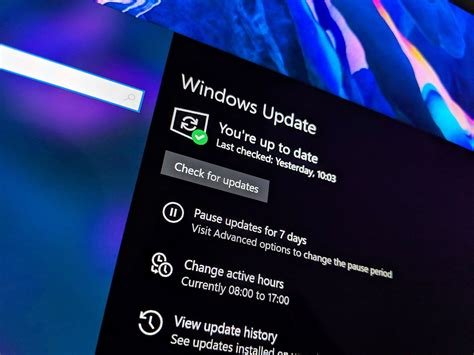
For most devices, the update appears automatically via Windows Update within 24‑48 hours. To trigger it manually, go to Settings → Windows Update → Check for updates and look for “Cumulative update KB5074109.” Advanced users can download the standalone package from the Microsoft Update Catalog and install it via command line for offline or air‑gapped systems.
Next Steps and Future Outlook
After installing KB5074109, users can consider the enablement package (KB5054156) to upgrade from 24H2 to the full 25H2 feature set without downloading the entire feature update. Analysts expect future Patch Tuesdays in 2026 to continue mixing out‑of‑band security patches with continuous‑innovation improvements, keeping Windows 11 secure and performant throughout the year.