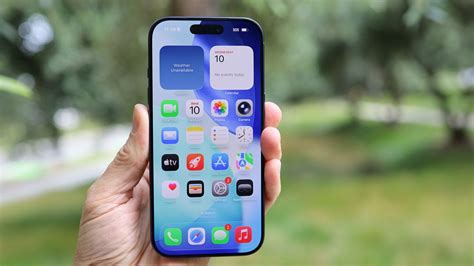

Apple iPhone Alert: Restart Now to Block New Vulnerability
Apple’s latest security advisory warns that a newly discovered firmware vulnerability can let attackers persist in an iPhone’s memory. The immediate fix is to restart every iPhone—any model or age—to flush volatile memory and stop the exploit. Performing a quick reboot now protects devices while Apple prepares a permanent iOS patch.
What triggered the advisory?
Apple identified a low‑level firmware component present in all iPhone models from the iPhone 6S onward that can be weaponized when a device remains powered on for extended periods. The flaw allows malicious code to stay resident in RAM, evading detection by standard security tools.
Why a restart works
A restart clears the device’s RAM and forces iOS to load from a known good state. This removes any memory‑resident malicious code, cutting off the attacker’s foothold. Whether using a standard power‑off or a force‑restart with hardware buttons, the process is an effective, no‑cost mitigation.
How to perform a standard restart
Press and hold the side button and either volume button until the “slide to power off” slider appears. Slide to power off, wait a few seconds, then press the side button again until the Apple logo appears.
How to force‑restart a non‑responsive iPhone
For models with a frozen screen, quickly press and release the volume up button, then the volume down button, and finally hold the side button until the Apple logo appears.
Implications for users and the ecosystem
The advisory affects millions of iPhone owners worldwide. While the reboot is painless for most, users with hardware button issues must rely on the force‑restart method. The vulnerability highlights that even highly secured mobile platforms can face sophisticated attacks, emphasizing the need for regular maintenance.
Enterprises managing iOS fleets should push restart commands through Mobile Device Management (MDM) solutions or instruct employees to reboot manually. IT teams may also need to review VPN and authentication profiles for potential compromise.
What users should do now
- Restart immediately – Use the standard power‑off method or a force‑restart if the screen is unresponsive.
- Update iOS – After rebooting, go to Settings → General → Software Update and install the latest iOS version.
- Verify Apple ID status – If you encounter authentication issues, sign out of your Apple ID and sign back in.
- Stay informed – Monitor Apple’s official security pages for further instructions and the upcoming patch.
Looking ahead
Apple’s decision to issue a public restart recommendation reflects a more transparent emergency response strategy. While a detailed security bulletin is expected in the coming weeks, the immediate defense remains a quick reboot combined with prompt iOS updates and vigilant monitoring of device behavior.